15 Surprising Facts About Unread Notifications Nobody Tel…
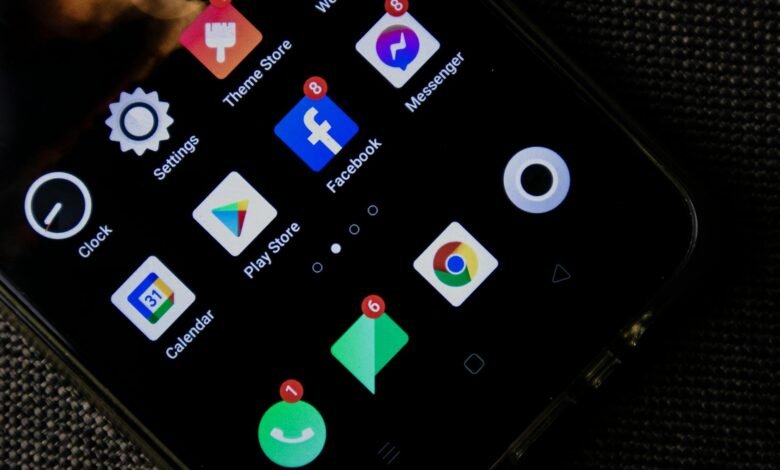
The average smartphone user receives 46 push notifications per day — and studies show that roughly 70% of them are never tapped. That means billions of alerts are dismissed, ignored, or simply left to rot as red badge numbers every single day. Globally. Right now. While you sleep.
Those unread notifications sitting on your phone like tiny red accusations — have you ever stopped to wonder what actually happens to them?
Not in a philosophical “what does it all mean” way. In a very literal, technical, slightly unsettling way. Do they disappear? Do they live on a server somewhere, judging you? Are they deleted the moment you swipe them away, or do they linger in some digital purgatory, forever unread, forever waiting?
The answer involves data centers, corporate retention policies, psychological manipulation, and a global infrastructure designed entirely around the assumption that you will eventually look. It’s a lot more interesting than a red circle on an app icon has any right to be.
Let’s get into it. It’s 3am. You’re not sleeping anyway.
🎯 Key Takeaways
- Unread notifications don’t just vanish — they are stored on both your device and remote servers, sometimes for weeks or months.
- Companies like Apple and Google operate massive push notification delivery systems that log every alert sent to your device.
- Notification data — including what you ignored and when — is used to refine how and when apps target you in the future.
- Most platforms have automatic expiry windows for undelivered notifications, typically ranging from 24 hours to 28 days.
- Ignoring notifications isn’t neutral behavior — it sends a signal that algorithms actively learn from.
What Unread Notifications Actually Are (Technically Speaking)
The Journey of a Single Alert You Never Opened
Before we can talk about where unread notifications go to die, we need to understand what they actually are under the hood. Because they are not just little pop-ups your phone makes up on the spot. They are data packets — tiny structured messages that travel across a surprisingly complex global infrastructure before they ever reach your lock screen.
Here’s how it works. When someone likes your photo, or a news app wants to tell you about a breaking story, a server somewhere sends a request to either Apple Push Notification Service (APNs) or Google’s Firebase Cloud Messaging (FCM) — the two dominant push delivery systems in the world. These are massive, always-on infrastructures whose entire job is to route alerts to the right device at the right moment.
That message gets queued. Your phone receives it. A badge appears. An alert fires. And then… you ignore it. You swipe it away. You don’t open the app. The notification overload hits and you just let it sit there, badge number ticking upward like a stress counter.
But the message itself? It didn’t just disappear from existence. It lived somewhere — briefly or not so briefly — in multiple places at once.
On your device, dismissed notifications typically get moved to a notification log or history. On Android, this is accessible. On iOS, it’s a bit more buried. Either way, the data sits in local storage until it’s cleared. On the server side, the story gets more interesting — and this is where notification overload starts to have real, lasting consequences you probably never considered.
Notification Overload and the Infrastructure Built to Handle It
Let’s talk scale for a second, because the scale here is genuinely mind-bending. Apple’s APNs system sends approximately 1.5 billion push notifications per day. Google’s FCM handles even more — some estimates put it north of 500 billion messages per month across all Android devices globally. These numbers are so large they start to feel fake, like when someone tells you the distance to a star and your brain just gives up.
All of that traffic — every single alert, delivered or undelivered, read or unread — runs through infrastructure that has to account for the messiness of real life. Your phone is offline. Your battery died. You turned on Do Not Disturb. You’re on a plane. So push notification systems have built-in queuing and retry logic. If a notification can’t be delivered immediately, it doesn’t just vanish. It waits.
Apple’s APNs stores undelivered notifications for up to 30 days in some configurations, though the default for most apps is much shorter. Google FCM has a maximum time-to-live (TTL) of 28 days for messages stored in their system. Once that window closes, the notification expires and is deleted from the queue. It never reaches you. It simply ceases to exist, as if the like, the comment, the breaking news alert never happened.
This is actually a design choice, not an oversight. Engineers who work on push notification data systems have to make deliberate decisions about how long to retain undelivered messages, because storing them costs real money and server space. Expiry windows are a practical compromise between “make sure the user gets it” and “don’t store stale data forever.”
As Wired Magazine has covered extensively over the years, the entire attention economy runs on the assumption that getting your notification to you — eventually, persistently, in the right moment — is worth the infrastructure cost. The whole system is built around capturing your attention. Unread notifications are just the receipts of all the times it failed.
🤔 Wait, Really? Android has a secret hidden notification history that logs every alert your phone has received — including ones you dismissed without reading — for the past 24 hours. You can access it by long-pressing on your home screen, going into widgets, or enabling it in developer settings. It’s essentially a record of everything you chose to ignore. Uncomfortable.
What Happens to Your Push Notification Data After You Ignore It
The Part Where Your Silence Becomes a Data Point
Here’s where things get genuinely strange. When you ignore a notification, you might think you’re making a non-choice — a neutral act of omission. You’re not clicking anything. You’re not providing any input. You’re just… not engaging. Surely that produces no data, right?
Wrong. Spectacularly, fascinatingly wrong.
Most modern apps with sophisticated notification fatigue management systems track what’s called notification delivery and engagement rates. They know when a notification was delivered. They know whether you opened it. And when you don’t open it, that absence of action is logged as a data point just as real as any click. Your digital anxiety-induced doom-scrolling through a dismiss swipe? That’s metadata, baby.
What do they do with it? They learn. If you consistently ignore workout reminders at 8am but respond to them at 6pm, the app notes that. If you never tap news alerts but always open sale notifications, that pattern gets recorded. Push notification data feeds directly into machine learning models that optimize when, how often, and in what format you receive future alerts.
This is why the smartphone alerts you get seem to evolve over time. It’s not coincidence. It’s the system adapting to your behavior — including your non-behavior. The app badges piling up on your home screen are, in a strange way, teaching algorithms how to eventually get your attention.
Some platforms take this further with what’s called notification scoring — an internal metric that weights the likelihood you’ll engage with any given type of alert based on historical behavior. Low-scoring notification types get deprioritized or even automatically suppressed in some systems. High-scoring ones get sent more aggressively. The red bubble that keeps climbing higher isn’t just sitting there. It’s generating a profile of your psychological response to being interrupted.
Digital Clutter, Deletion, and the Myth of “Clearing” Your Notifications
There’s something deeply satisfying about clearing all your notifications. That swipe, that tap of “dismiss all,” that moment when the app badges finally blink out — it feels like resolution. Like closure. Like you’ve dealt with something.
But have you? What actually happened there?
On your device, clearing notifications removes them from the notification tray and resets the badge count. The local record may or may not persist depending on your operating system and app settings. On Android, as mentioned, the 24-hour notification history keeps a shadow log. On iOS, cleared notifications are gone from the UI, but certain apps that use rich notification systems may have their own internal logs stored in the app’s local database.
More significantly, clearing notifications on your device does nothing to the server-side record. The fact that a push was sent to you — that it was delivered or queued — still exists in the app company’s logs. How long those logs are retained depends entirely on that company’s data retention policy, which is almost never something you signed up knowing. Most privacy policies bury notification logging in vague language about “service improvement” and “analytics.”
The concept of digital clutter is real, and notification data is one of its sneakiest forms. Unlike photos you can delete or emails you can archive, the residue of your ignored notification history lives in distributed systems you’ll never have direct access to. The best you can do is turn off notifications entirely for apps that don’t deserve your attention — which, if we’re being honest, is probably most of them.
One underappreciated fact: unread notification counts themselves can cause measurable stress responses. Research in the field of human-computer interaction has documented that visible unread counts — those app badges, that bold unread number — trigger low-level anxiety responses even when users claim not to care about them. The presence of digital clutter isn’t just aesthetically unpleasant. It’s neurologically taxing.
Frequently Asked Questions
Do unread notifications get deleted automatically?
Yes — eventually. On the server side, most push notification systems like Apple APNs and Google FCM have a maximum time-to-live (TTL) for undelivered messages, usually between 24 hours and 28 days depending on how the app is configured. Once that window expires, the undelivered notification is purged from the queue. On your device, dismissed notifications may persist in system logs for a limited time before being overwritten.
Can apps see that I ignored their unread notifications?
In most cases, yes. Apps that implement delivery and engagement tracking — which is the vast majority of major apps — receive data on whether a notification was delivered and whether you acted on it. When you consistently ignore certain notification types, that behavioral pattern feeds back into the app’s targeting system, which may adjust future push notification timing and content to better match your engagement habits. Your silence is not silent to the algorithm.
What happens to notifications when my phone is off?
They queue up. Push notification systems like Firebase Cloud Messaging hold your notifications in a delivery queue while your device is offline, powered off, or out of range. When your phone reconnects, queued notifications are delivered — but only if they haven’t exceeded the app’s configured TTL (time-to-live). Very time-sensitive notifications may be programmed to expire quickly, meaning you could miss them entirely if your phone was off long enough.
Is there a way to see all my old unread notifications?
On Android, there’s a hidden notification history feature that shows alerts from the past 24 hours, including ones you dismissed. You can enable it through Settings → Notifications → Notification History. On iOS, your notification history is visible in the Notification Center for recent alerts, but there’s no deep log of everything dismissed. Third-party apps can sometimes provide richer notification logs, though they require specific permissions to access that data.
Does ignoring push notifications affect my phone’s performance?
Not directly in terms of speed or battery in any dramatic way — but badge numbers and notification data do occupy a small amount of local storage. More meaningfully, apps that aggressively retry failed notification delivery can create minor background network activity. The bigger performance concern is psychological: research consistently shows that visible unread notification counts contribute to digital anxiety and reduced focus, even when users aren’t actively engaging with the notifications themselves.
✅ The Bottom Line
Those unread notifications don’t just disappear — they exist simultaneously on your device, in server queues, and in analytics databases that track your every non-interaction with them. When they expire, it’s because a system architect made a deliberate business decision about how long your ignored alerts were worth storing. And every notification you’ve ever dismissed without reading has quietly contributed to a behavioral profile that shapes every alert you receive going forward. The red number on your app icon isn’t just a counter. It’s a negotiation you didn’t know you were in.
Final Thoughts
It’s a little wild that we’ve built a global infrastructure — billions of dollars of servers, software, and engineering talent — just to deliver small messages that most of us ignore. Unread notifications are the ghost mail of the digital age: sent with intent, waiting patiently, quietly expiring when nobody comes to claim them. But unlike ghost mail, they leave traces — in logs, in algorithms, in the low hum of background anxiety that modern smartphone life has normalized so thoroughly we’ve stopped noticing it. Maybe the real question isn’t what happens to all those unread notifications. Maybe it’s: what are they doing to us? Drop your thoughts in the comments — are you a “clear everything immediately” person, or do you have four-digit unread counts that haunt your dreams?